Google Workspace Calendar, commonly known as Google Calendar, is an online scheduling tool designed to help you manage your time, organize events, and share calendars seamlessly. As part of Google Workspace, it’s accessible on any device with an internet connection.
Key Features of Google Workspace Calendar:
Create and Manage Events: Easily set up events, specify dates and times, and invite participants. Add details like locations and reminders to ensure you stay organized.
Cross-Device Compatibility: Being cloud-based, Google Calendar syncs automatically across your phone, tablet, and computer, ensuring your schedule is always up-to-date and accessible.
Shared Calendars
You can create shared calendars that multiple people can view and manage. This makes it simple for families, teams, or classmates to stay updated and coordinated.
Integration with Google Tools
Google Calendar seamlessly connects with apps like Gmail, Google Meet, and Google Drive. For instance, meeting invitations received via Gmail are automatically added to your calendar.
Reminders and Alerts
Set up notifications to ensure you never miss an event. Receive reminders via email or pop-up alerts before meetings or appointments.
Google Workspace
Flexible Views
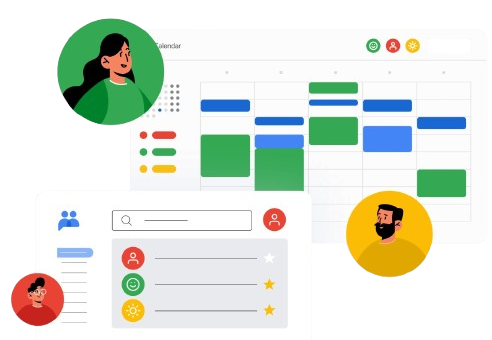
Google Calendar allows you to view your schedule by day, week, or month, so you can focus on today’s events or get an overview of your plans at a glance.
Color-Coded Organization
Keep your calendar tidy and easy to navigate by assigning different colors to different types of events. For example, use one color for work meetings and another for personal activities.
Time Zone Assistance
When scheduling meetings across time zones, Google Calendar makes it simple by displaying the correct time for each participant’s location, ensuring everyone stays on the same page.